> ## Documentation Index
> Fetch the complete documentation index at: https://docs.hyra.io/llms.txt
> Use this file to discover all available pages before exploring further.
# Using the Activity Module
> Hyra's Activity Module is used to track in-game activity and sessions.
Hyra provides a ready-made module for tracking in-game activity. This comes preloaded with tracking of friends, messages and more.
To begin installing the module, please follow the instructions below:
Before using the Activity Module, you must enable the HTTP Service in your
game settings. This allows the module to communicate with Hyra's API. You can
enable this by going to Game Settings > Security > Enable HTTP Requests.
Also note that your game must be published to access these settings.
Each Workspace has a unique tracking ID, so you'll need to download a
ready-made module for your workspace.
You'll need to download the module for your workspace.
Once you've downloaded the place, open it in Roblox Studio.
Copy over the loader script to your ServerScriptService.
Once you've copied the loader script, paste it into your
ServerScriptService.
Once you've published the place, your module will be ready to use.
# Adding Events to Hyra
In the latest version of Hyra's module loader, you can now send custom events to Hyra, which will appear in the Activity tab.
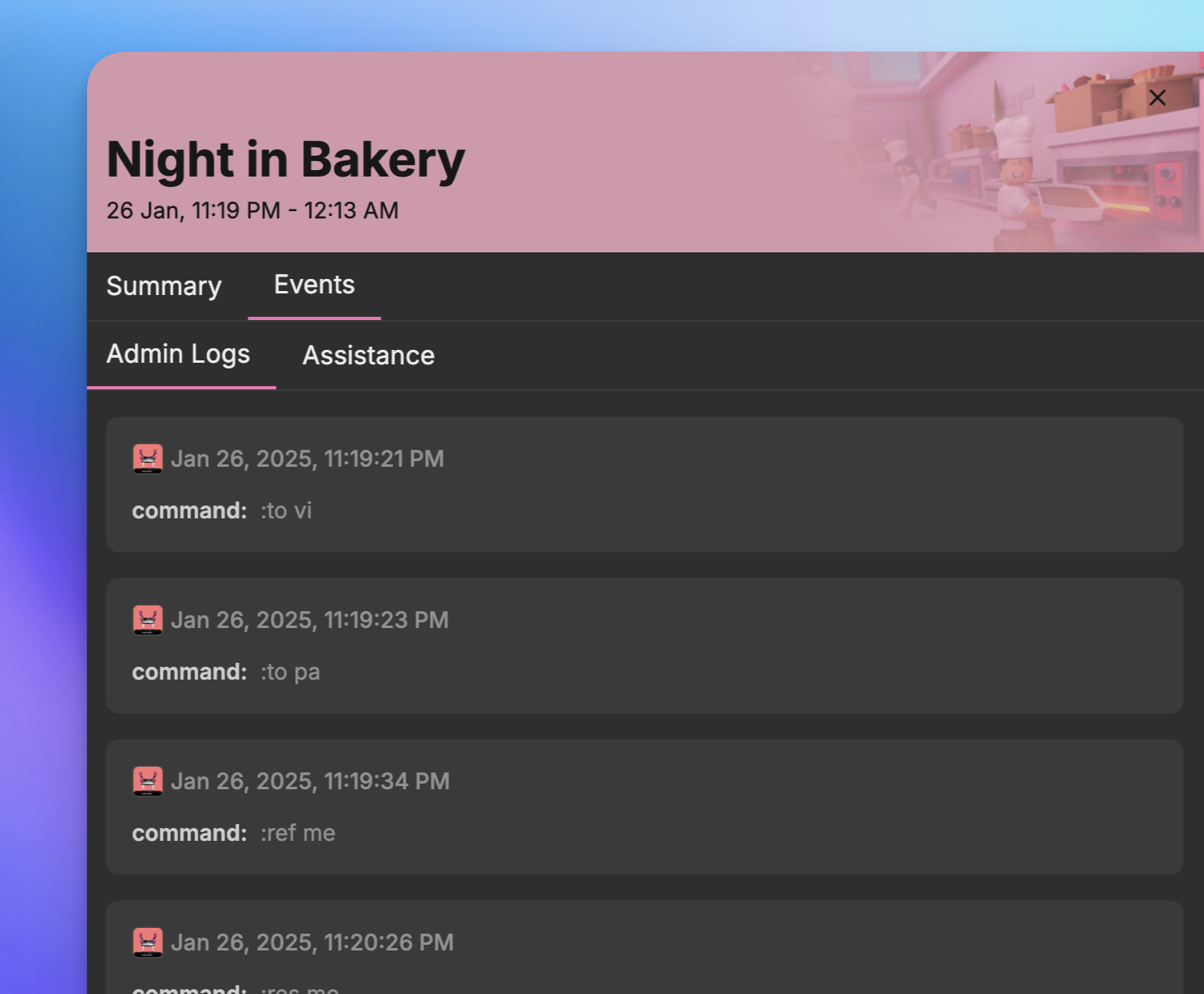 ## What Are Events?
Events allow you to log specific activities within your system, making them visible and organised under the Activity tab. Common types of events include:
* **Admin Logging:** Track administrative actions, such as user commands.
* **Assistance/Help Logging:** Log help requests or assistance actions.
* **F3X Logging:** Monitor building or tool usage events.
Events are grouped by type for easy browsing, and you can ingest any custom event you need - Hyra takes care of the rest.
## Sending Events to Hyra
To send events, use the `trackEvent` function provided by the module. This function is tied to the module instance, meaning you'll need to ensure it operates within the same instance. If your scripts require sharing data, you can use [exporters](/api-reference/activity/module/creating-an-exporter) or bindable events for seamless integration.
```lua theme={null}
module.trackEvent(player, eventType, eventData)
```
* `player`: The player associated with the event (e.g., `game.Players.melodrvma`).
* `eventType`: A string representing the type of event (e.g., `"Admin Logs"`).
* `eventData`: A table containing event-specific details (e.g., `{ command = ":kick xyeda" }`).
## Example: Tracking an Admin Log Event
The following example demonstrates how to log an admin action using the `trackEvent` function:
```lua theme={null}
module.trackEvent(game.Players.melodrvma, "Admin Logs", {
command = ":kick xyeda"
})
```
In this example:
* The event tracks an admin's use of the `:kick` command.
* The `eventData` table includes the specific command executed.
By following this structure, you can easily add, organise, and track events in Hyra, ensuring all relevant activities are logged and accessible within the Activity tab.
## What Are Events?
Events allow you to log specific activities within your system, making them visible and organised under the Activity tab. Common types of events include:
* **Admin Logging:** Track administrative actions, such as user commands.
* **Assistance/Help Logging:** Log help requests or assistance actions.
* **F3X Logging:** Monitor building or tool usage events.
Events are grouped by type for easy browsing, and you can ingest any custom event you need - Hyra takes care of the rest.
## Sending Events to Hyra
To send events, use the `trackEvent` function provided by the module. This function is tied to the module instance, meaning you'll need to ensure it operates within the same instance. If your scripts require sharing data, you can use [exporters](/api-reference/activity/module/creating-an-exporter) or bindable events for seamless integration.
```lua theme={null}
module.trackEvent(player, eventType, eventData)
```
* `player`: The player associated with the event (e.g., `game.Players.melodrvma`).
* `eventType`: A string representing the type of event (e.g., `"Admin Logs"`).
* `eventData`: A table containing event-specific details (e.g., `{ command = ":kick xyeda" }`).
## Example: Tracking an Admin Log Event
The following example demonstrates how to log an admin action using the `trackEvent` function:
```lua theme={null}
module.trackEvent(game.Players.melodrvma, "Admin Logs", {
command = ":kick xyeda"
})
```
In this example:
* The event tracks an admin's use of the `:kick` command.
* The `eventData` table includes the specific command executed.
By following this structure, you can easily add, organise, and track events in Hyra, ensuring all relevant activities are logged and accessible within the Activity tab.