> ## Documentation Index
> Fetch the complete documentation index at: https://docs.hyra.io/llms.txt
> Use this file to discover all available pages before exploring further.
# Permanent Bans
 Hyra's Player Bans allow you to log your permanent bans from your game to your Hyra workspace! It also allows your staff to insert evidence using Hyra's fast CDN!
This article will show how to use the Permanent Bans Dashboard. For it's API Documentation, click
[here](https://docs.hyra.io/api-reference/introduction).
## Setting Up
To set it up, you'll need to integrate Hyra's Ban API to your moderation suite. We suggest getting a scripter to integrate the two.
For more information on Hyra's Ban API, click [here.](https://docs.hyra.io/api-reference/players/get-playersbans)
## Permanent Bans Dashboard
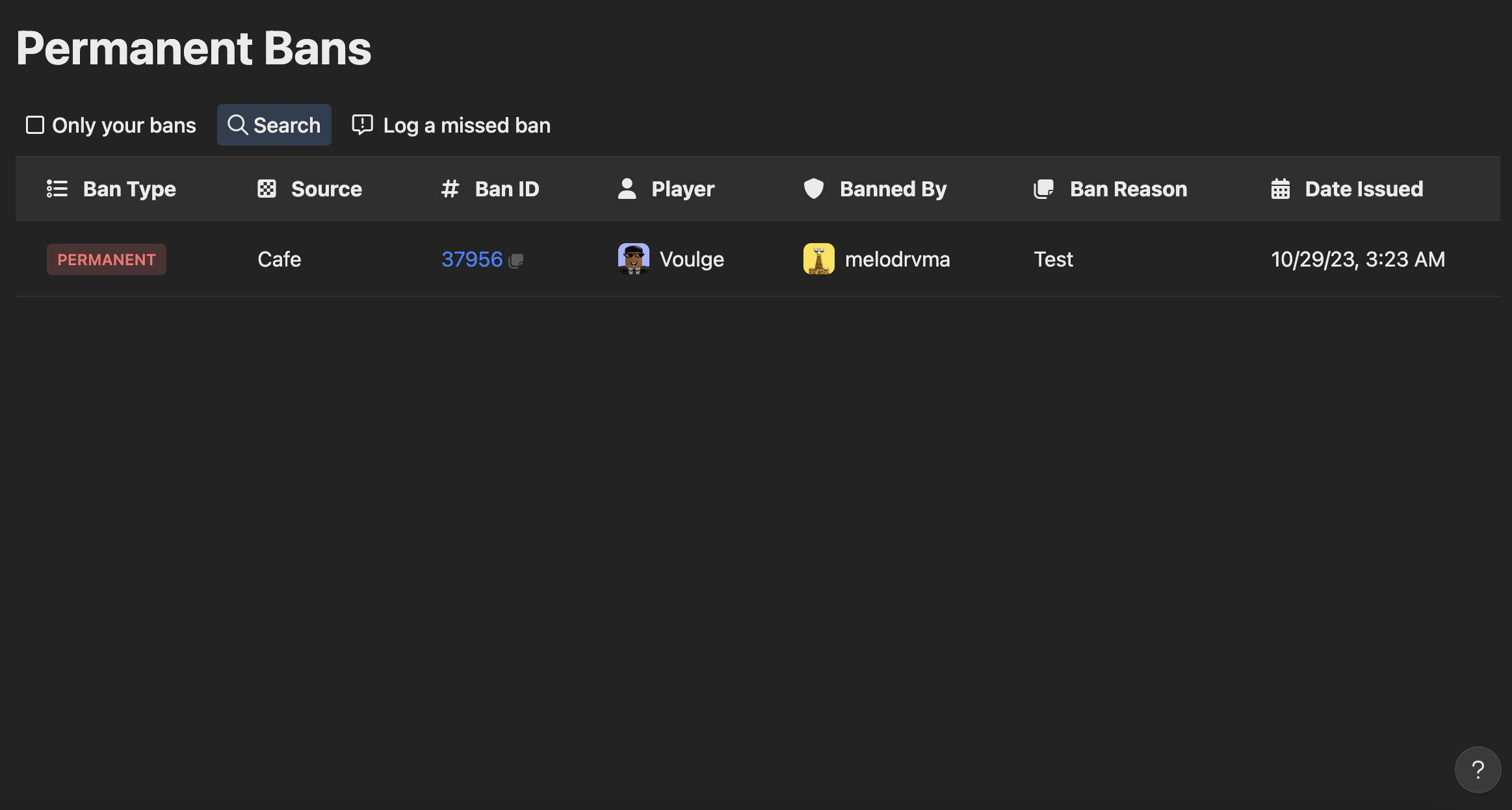
The dashboard shows the following:
* Permanent Bans List allows you to see all of the bans in a list.
* Only your Bans allows you to filter the list to only show your bans. This is great for those who needs to insert
evidences in their bans.
* Search allows you search for a ban. You can search via a banned player or moderator.
* Log a missed ban allows you to create a missing ban.
### Ban Information
In the list, you can click the Ban ID to access more information about the ban. You can also add comments and attachments to show proof of the ban.
Hyra's Player Bans allow you to log your permanent bans from your game to your Hyra workspace! It also allows your staff to insert evidence using Hyra's fast CDN!
This article will show how to use the Permanent Bans Dashboard. For it's API Documentation, click
[here](https://docs.hyra.io/api-reference/introduction).
## Setting Up
To set it up, you'll need to integrate Hyra's Ban API to your moderation suite. We suggest getting a scripter to integrate the two.
For more information on Hyra's Ban API, click [here.](https://docs.hyra.io/api-reference/players/get-playersbans)
## Permanent Bans Dashboard
The dashboard shows the following:
* Permanent Bans List allows you to see all of the bans in a list.
* Only your Bans allows you to filter the list to only show your bans. This is great for those who needs to insert
evidences in their bans.
* Search allows you search for a ban. You can search via a banned player or moderator.
* Log a missed ban allows you to create a missing ban.
### Ban Information
In the list, you can click the Ban ID to access more information about the ban. You can also add comments and attachments to show proof of the ban.
 ### Adding evidence
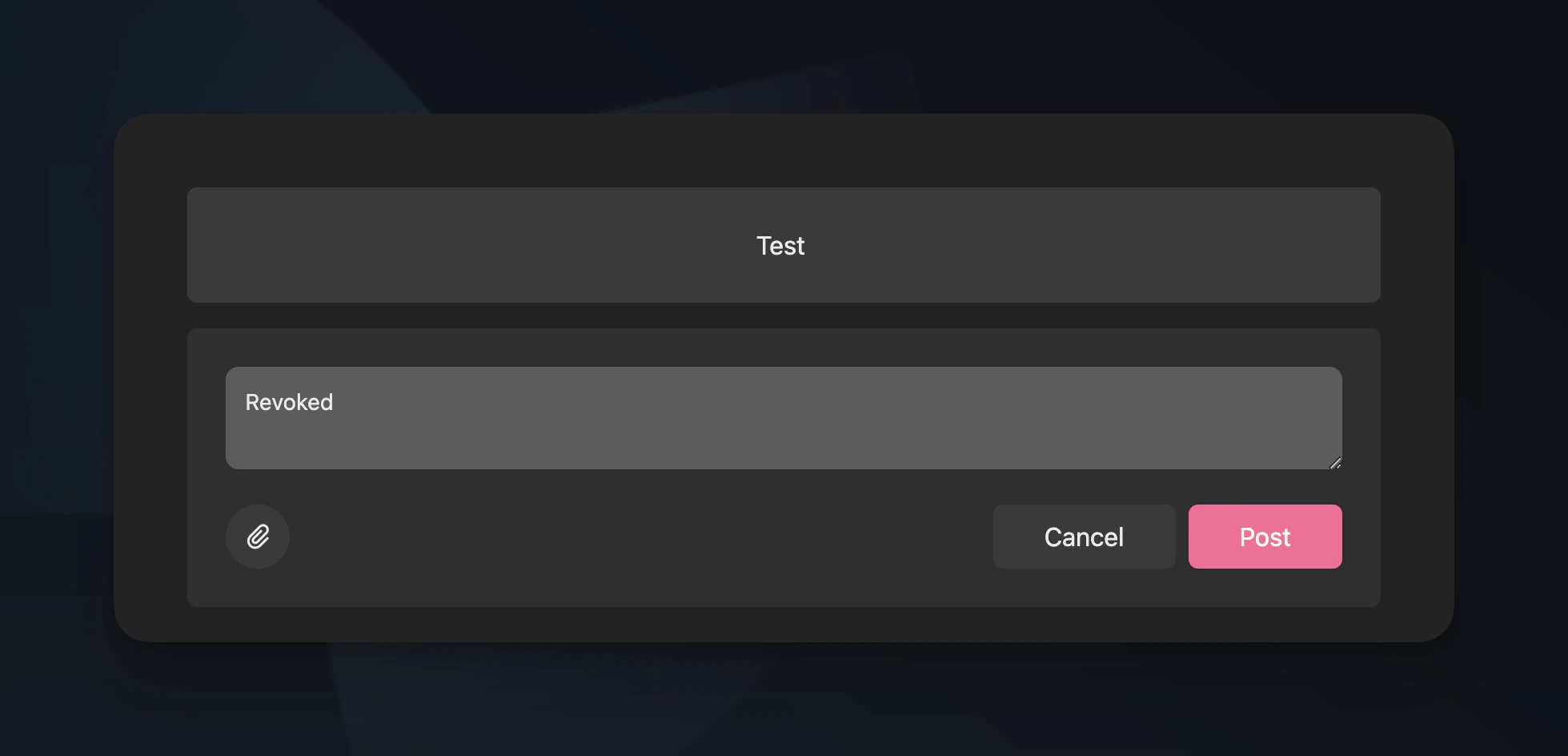
You can use the comments feature to attach evidence to your ban
### Adding evidence
You can use the comments feature to attach evidence to your ban
### Logging a Missing Permanent Ban
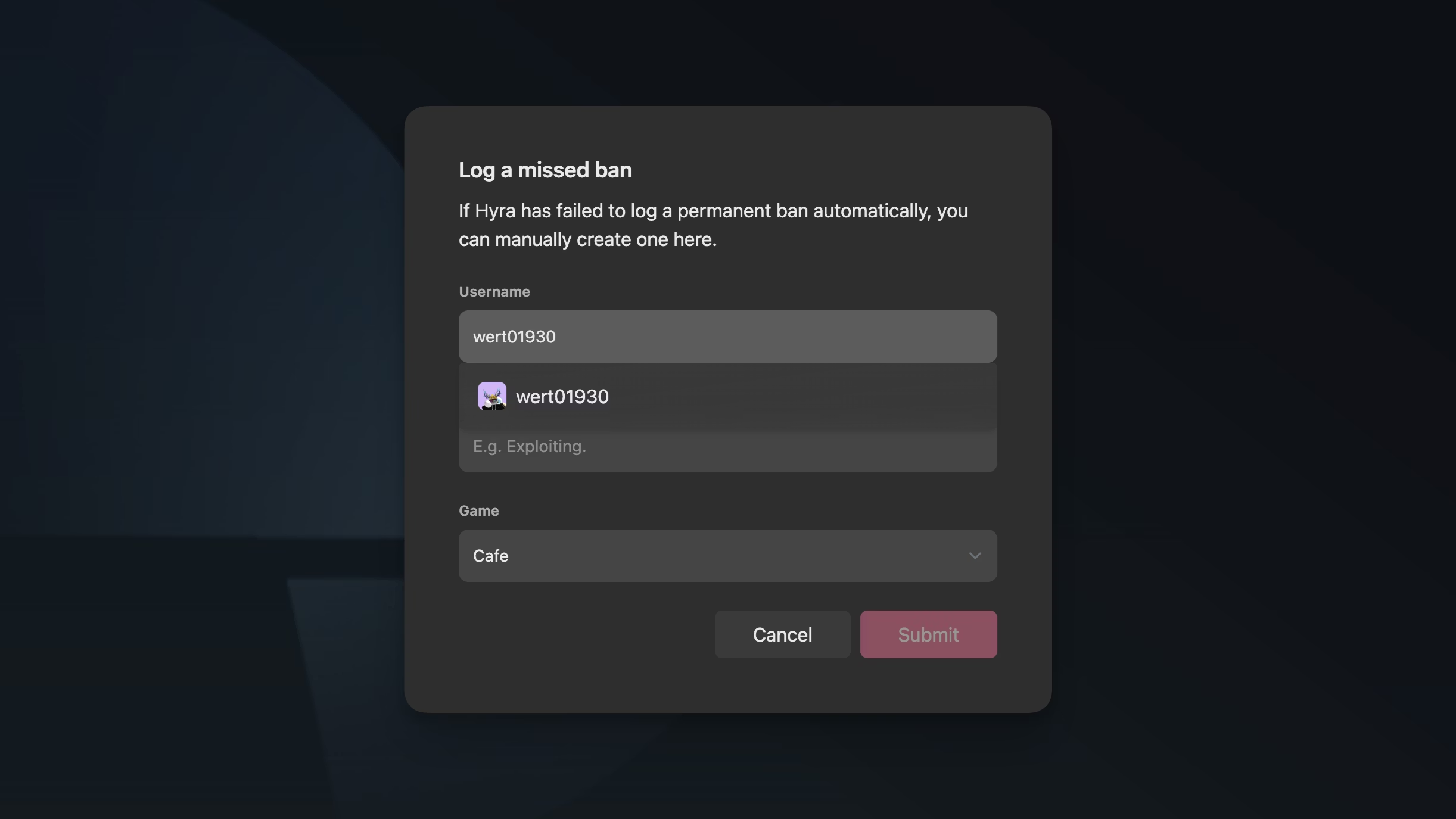
Sometimes, Hyra can fail to log a permanent ban automatically. You can manually log one by clicking Log a missed ban.
In the form, you'll need to type in the username, reason, and which game is it.
Once you've hit Submit, it will be permanently logged. You cannot delete the ban.
 ## Revoking a Ban
You cannot revoke a ban in the Ban Dashboard. You'll need to use an API to revoke a ban. This is for data integrity and security reasons.
For more information on the API, click [here.](https://docs.hyra.io/api-reference/players/delete-playersbans)
## Revoking a Ban
You cannot revoke a ban in the Ban Dashboard. You'll need to use an API to revoke a ban. This is for data integrity and security reasons.
For more information on the API, click [here.](https://docs.hyra.io/api-reference/players/delete-playersbans)